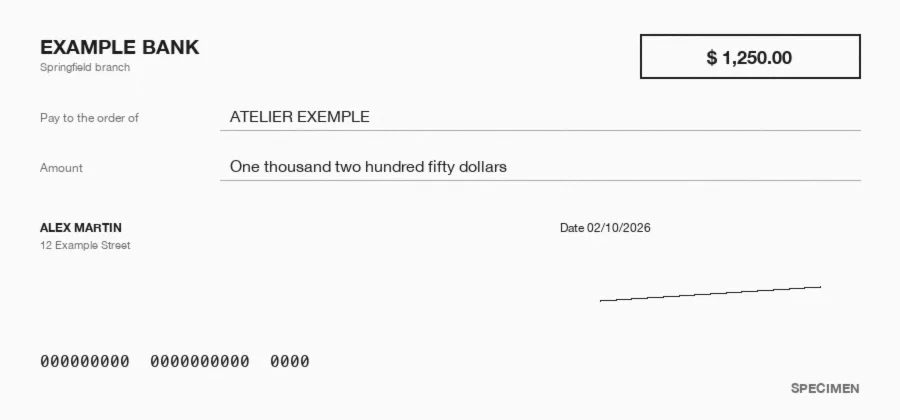














What is purchase order OCR?
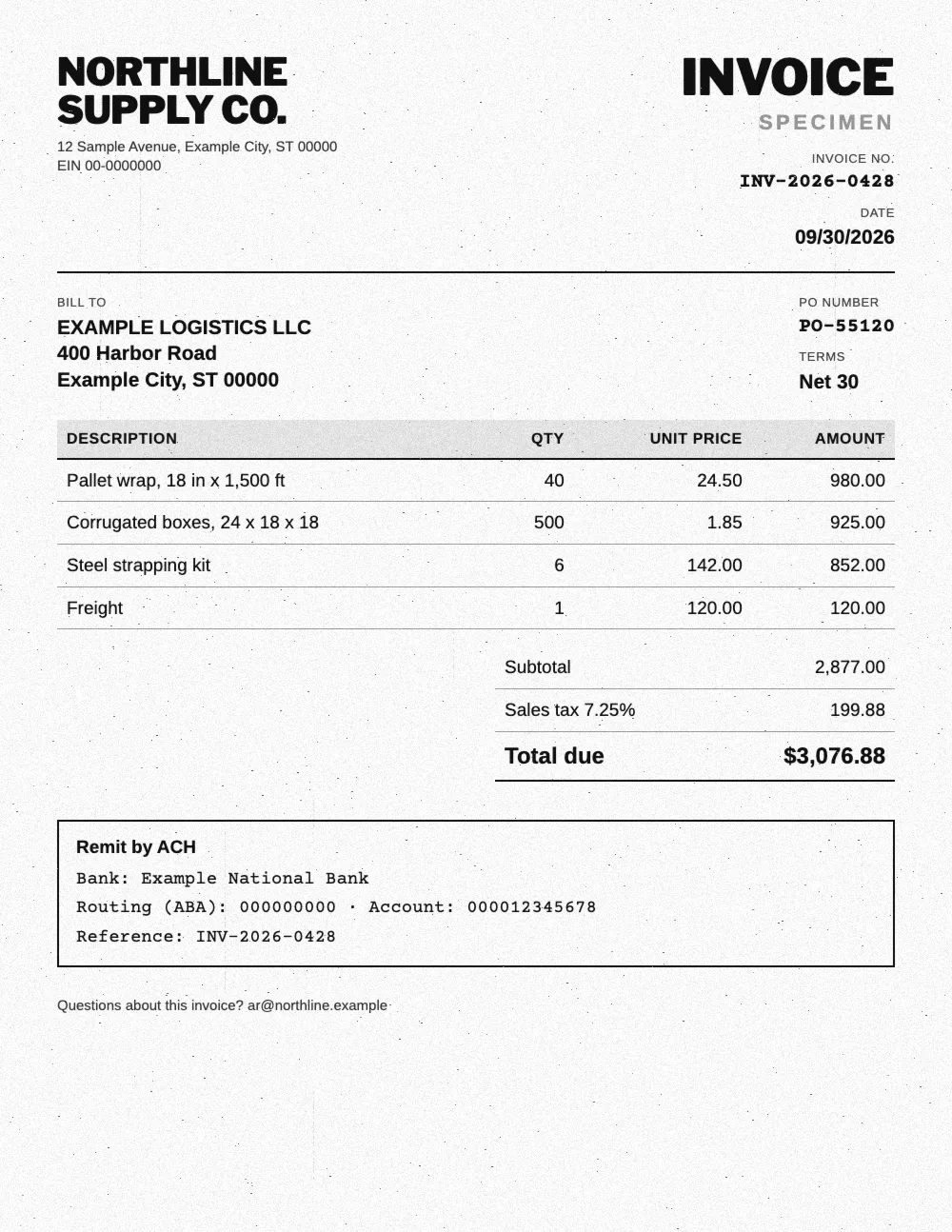
Purchase order OCR reads a PDF, scanned or photographed purchase order and turns it into structured data: PO number and date, buyer, vendor, ship to address, delivery date, payment terms and every line item with SKU, quantity and unit price. Koncile matches each line to your item catalog and sends the order to your ERP by API, or exports it to Excel. It works both ways: for the POs you send to suppliers in procurement, and for the POs your customers send you for sales order entry.
Manual entry
Someone keys every PO into the ERP, line by line. Fine for a few orders a day, slow and error prone as soon as customers, SKUs and layouts pile up.
Template OCR
The software reads characters, then looks for each field at a fixed position. Every new customer or vendor means one more template to build and maintain.
AI without templates
The model reads a purchase order the way a buyer would: it finds the PO number, the ship to address and every line item, whatever the layout.
What data does purchase order OCR extract?
Koncile's purchase order template captures the header fields of every PO, then the detail of each line item. You can edit, add or describe the fields to extract from the interface, such as a revision number, a cost center or a GL code.
| Field | Example | Extraction rule |
|---|---|---|
| PO number | PO-10482 | Number set by the buyer, carried over to the packing slip and the invoice. |
| PO date | 10/14/2026 | Date of issue, returned in your chosen format. |
| Buyer | Acme Kitchens LLC | Company issuing the purchase order. |
| Vendor | Harbor Supply Co. | Company receiving the order and shipping the goods. |
| Bill to | Acme Kitchens LLC, Accounts Payable | Party and address the invoice should go to. |
| Ship to | 1400 W Lake St, Chicago, IL 60607 | Full delivery address, kept apart from the bill to address. |
| Requested delivery date | 10/21/2026 | Date requested by the buyer, or the lead time when no date is printed. |
| Payment terms | Net 30 | Terms as printed, such as Net 30 or 2/10 Net 30. |
| FOB or Incoterms | FOB Destination | Point where ownership and freight responsibility transfer. |
| Subtotal | $1,129.25 | Order amount before tax and shipping. |
| Sales tax | $115.75 | Tax amount, with the rate when it is printed. |
| Total | $1,245.00 | Total order amount, tax and shipping included. |
| SKU or item number | HS-2210 | Item reference as printed on the line. |
| Description | Nitrile gloves, case | Full item description, pack size included. |
| Quantity and unit of measure | 20 cases | Ordered quantity and UoM, returned as two separate fields. |
| Unit price | $38.50 | Price of one unit, before discount. |
| Line total | $770.00 | Line amount after any discount. |
How does purchase order OCR work?
From the inbox to the ERP, a purchase order goes through five steps. The first two read the document, the next three make it usable by your systems.
- Step 1
Intake
A dedicated email address, the API or an upload. A PDF holding several POs is split, then each document is classified.
- Step 2
Reading
Text, tables and handwriting are read page by page, even on a skewed scan or a faxed copy.
- Step 3
Structuring
Each value lands in its field: PO number, buyer, ship to address, then one row per line item.
- Step 4
Catalog matching
Each line is matched to your item catalog, with a confidence score on every extracted field.
- Step 5
Export
Excel, CSV, JSON, webhook or API, into your ERP or order management system, with no retyping.
Sales order entry: from emailed POs to orders in your ERP
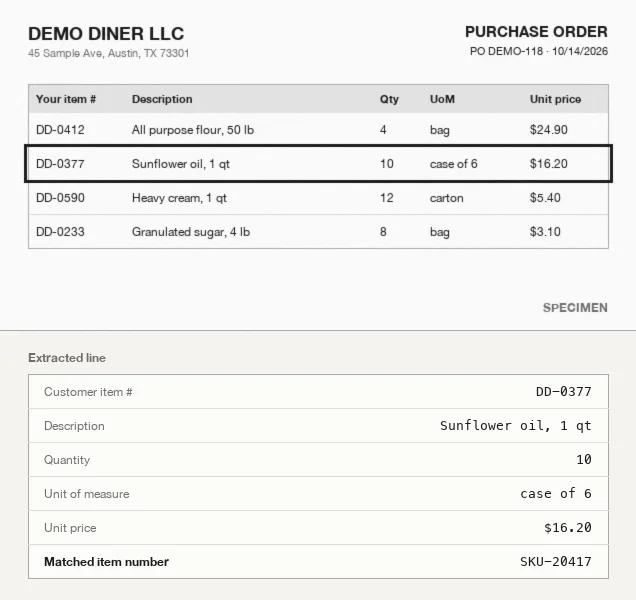
On the order to cash side, every customer sends its own purchase order, with its own SKUs, descriptions and layout. A customer service rep then keys each line into the ERP. Koncile receives these POs on a dedicated email address, reads the attachments and extracts every line item.
Catalog matching then finds your item number from the customer's SKU or description, by exact match, fuzzy match or AI similarity. When descriptions differ too much, a cross reference table bridges the gap.
Four cases need a clear rule. "10 cases of 6" comes out as two fields, quantity and unit of measure. Each unit price is checked against the customer's contract price. A PO received twice is flagged by duplicate detection. Lines with a low confidence score go to review before they reach the ERP.
PO, receipt and invoice: what about 3 way matching?
The purchase order is the first document in accounts payable controls. Koncile also reads delivery notes and invoices with templates from the same library, and extracts the PO number, quantities and prices you need to compare all three, line by line.
Our invoice verification guide covers the method and the checks to set up.
Quantity received
The quantity on the packing slip is compared with the quantity ordered. A gap points to a partial shipment, a backorder or a keying error.
Price billed
The unit price on the invoice is compared with the PO price, or with your negotiated price list when it serves as the reference.
PO already invoiced
The PO number ties each invoice to its order. A second invoice on a PO that is already closed shows up before it gets paid twice.
How accurate is purchase order OCR?
An accuracy rate means nothing until you say what it measures. Three levels coexist, and only the last one matters to an order entry team.
Koncile gives every extracted field a confidence score: uncertain fields go to review, the rest flow through untouched. The best test is still your own purchase orders.
Character accuracy
The share of letters and digits read correctly. It says very little: one wrong digit is enough to change a quantity or a SKU on a line.
Field accuracy
The share of correct fields, such as the PO number or a line's unit price. This is the right level to compare two tools, field by field.
Document accuracy
The share of POs with nothing to fix. This is the figure that tells you how many orders someone will still have to touch each day.
Can ChatGPT read purchase orders?
A general assistant can read one PO you paste into it. It has no OCR engine of its own, returns a different format from one try to the next, and its error rate climbs with volume and line items.
One PO, in a chat
Good enough to read a clean PDF once. No field schema, no confidence score, no catalog matching, and nothing to plug into your order entry workflow.
Hundreds of POs, in production
A dedicated pipeline reads the file, returns the same fields every time, matches each line to your catalog and routes uncertain fields to a person.
Handwritten, scanned and faxed purchase orders
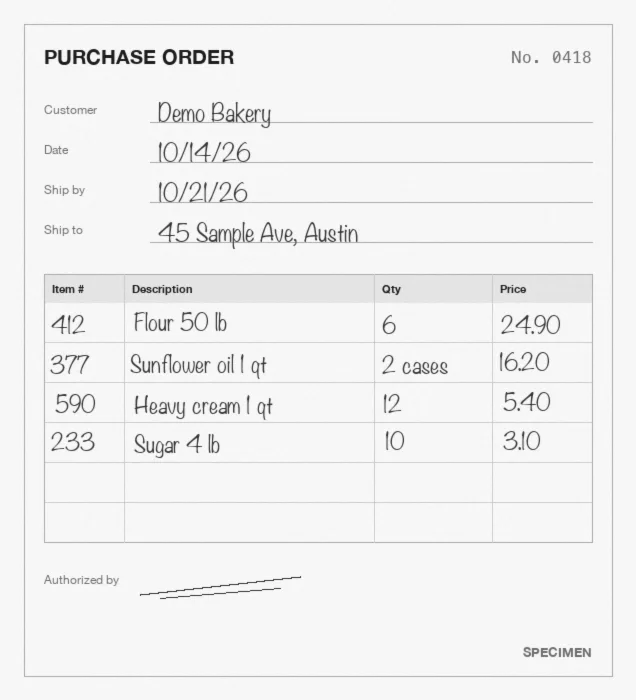
Order books filled in by hand are still common with small customers, in food service and on job sites, and so are faxes and phone photos. AI reads these documents as a whole rather than character by character.
What degrades the result: cramped handwriting, a low resolution scan, a photo taken at an angle. Catalog matching makes up for part of it, for instance a misread customer name corrected against your customer list. For fully handwritten documents, see our handwriting OCR page.
Integrations: from purchase order OCR to your ERP
Every PO comes out as Excel, CSV or JSON, or goes out by API and webhook as soon as extraction is done. The Python SDK, Zapier, Make, n8n and Power Automate connect Koncile to your stack, SAP included. NetSuite, QuickBooks, Dynamics or Odoo receive orders through the API, webhooks or Make.
Purchase order OCR pricing
Koncile is priced per page analyzed. The free plan gives you 20 credits to test on your own purchase orders. The Advanced plan is $229 per month, about $0.23 per page, with API, SDK and MCP access. Above that, the Enterprise plan brings a lower price per page as volume grows.
To compare, weigh that price against the time it takes to key a 20 line PO, and the cost of one wrong shipment. Prices in USD and EUR are on our pricing page.
Free and open source purchase order OCR
Free tools return text. A purchase order needs fields, line items and catalog matching: that is where they stop.
Our guide to the best open source OCR tools covers what each one can do.
Tesseract
The reference open source engine. It reads the text in an image but has no idea what a PO number or a line item is: you build everything around it.
PaddleOCR
Strong on layouts and tables, with models you host yourself. Turning its output into PO fields and line items is still your own code to write.
Google Drive
A PDF opened with Google Docs becomes editable text. Handy for one purchase order, unusable for a daily inbox full of customer orders and line items.
Teams processing their documents with Koncile
Our customers receive documents in formats they do not choose: orders, invoices, statements, paperwork from their partners. Each one plugged Koncile into its own flow, by API or by upload, to extract every line without retyping.

"We receive documents from all our rental partners in very different formats. Koncile extracts and structures them down to the detail: the data arrives ready to export, with no retyping."
Read the case study"We connected Koncile through the API in a few days. It processes tens of thousands of invoices a year, at a third of the cost of the tool we used before."
Watch the interview
An AI OCR built for security
Your documents are never used to train a model. Fully encrypted software, secure storage of extracted data, a SOC 2 certified and GDPR compliant platform.

Frequently asked questions about purchase order OCR
What is purchase order OCR?
Software that reads a PDF, scanned or photographed purchase order and extracts the useful data: PO number and date, buyer, vendor, ship to address, payment terms and every line item. Modern tools use AI to read any layout without templates, then export Excel, CSV or JSON.
What data can be extracted from a purchase order?
Header fields such as PO number, date, buyer, vendor, bill to and ship to addresses, delivery date, payment terms, FOB or Incoterms, subtotal, sales tax and total, then each line item with SKU, description, quantity, unit of measure, unit price and line total. You can add your own fields.
Can purchase order OCR handle customer POs sent by email?
Yes, for POs sent as attachments. A dedicated email address receives the orders, Koncile reads the attachments, splits PDFs that hold several POs and extracts every line item, then matches it to your catalog.
Can it read handwritten or faxed purchase orders?
Mostly, yes. AI reads handwriting, faxes, skewed scans and phone photos. Cramped handwriting and low resolution scans remain the main sources of error, and uncertain fields are flagged for review.
Can ChatGPT perform OCR on purchase orders?
It can read a single clean PO in a chat. It has no dedicated OCR engine, no fixed schema, no confidence score and no catalog matching, and its error rate grows with volume. For production order entry, a dedicated pipeline with checks is more reliable.
Does it integrate with NetSuite, QuickBooks or SAP?
Yes, through the API, webhooks, Zapier or Make, which can push each order into NetSuite, QuickBooks or SAP. You can also export Excel, CSV or JSON files.
Is OCR still needed if we use EDI?
EDI is the most direct channel for large accounts that already use it. Every customer that still sends a PDF, a scan or a photo needs a reading step, and OCR brings those orders into the same flow without asking them to change tools.
What details are required on a purchase order?
A purchase order usually shows a PO number, the date, buyer and vendor details, bill to and ship to addresses, delivery date, payment terms, and each item with its SKU, description, quantity and unit price. Totals, tax and shipping terms complete it.