








Read our white paper on AI forgeries in 2026
New AI fake detection model. Try it now
4.6 / 5 on Trustpilot

Reliable and customizable AI-powered OCR software for all your bank checks

Koncile's AI OCR, a solution for extracting data from Bank Checks, powered by AI, finally reliable, customizable and available as an API.

  • 22k+ users
  • SOC 2 and GDPR
  • Try for free
  • SOC 2 Type II, GDPR
  • Deleted after analysis
  • Never used to train an AI

For document volumes or an API, talk to an expert.

Check your own document

Analyzed securely by Koncile. Never used to train a model, deleted as soon as the analysis is complete.

  • SOC 2 Type II, GDPR
  • Secure servers
  • Deleted after analysis

For document volumes or an API, talk to an expert.

Used by insurers, banks and large companies to process their documents

4.8 / 5
Definition

OCR extraction tailored for bank checks

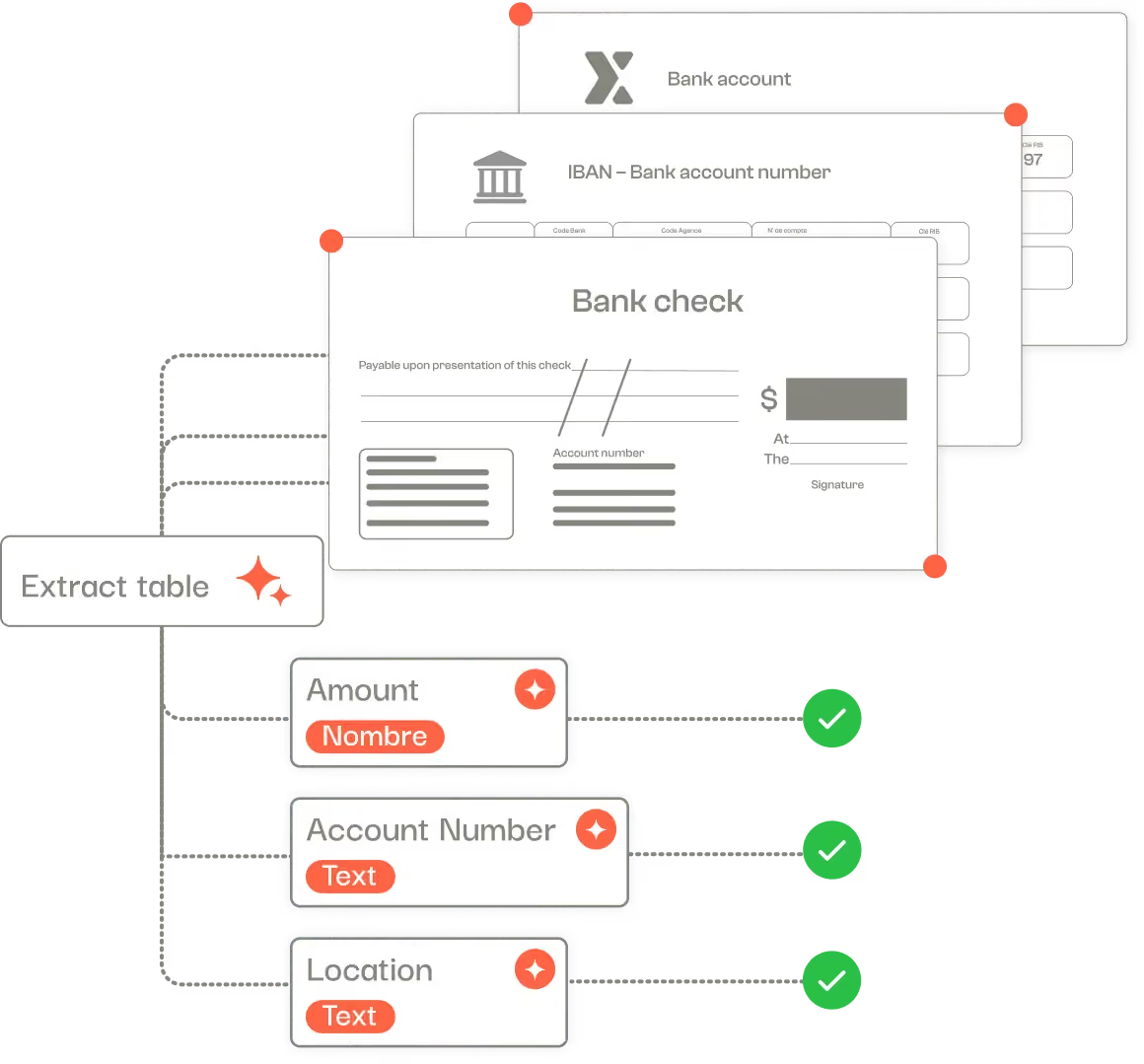
Koncile’s OCR for bank checks is designed to efficiently organize and process check-related information by extracting key data such as the amount, account holder, check number, and issuing bank.

It also helps detect inconsistencies or errors across large volumes of documents.

Simply upload scanned checks in image or PDF format into the Koncile OCR software to generate structured data in spreadsheet, JSON or database formats, ready for seamless integration into your systems.

Scan PDF in text automatically extracting information from a Bank check, such as the amount, check number, name of the holder, bank...
Extracted fields

Comprehensive field extraction with our OCR for bank check processing

Koncile’s Optical Character Recognition (OCR) software streamlines the processing of bank checks for accountants, payment managers, and finance teams.

It goes beyond simple text reading thanks to intelligent document processing by cross-checking the extracted data against your internal reference systems to ensure consistency.

This automated verification enhances control accuracy, speeds up reconciliation processes, and strengthens the overall security of payment management.

FieldExampleExtraction rule
Place of issueNew York, NY
Why Koncile

Why choose Koncile OCR for your bank checks? ‍

99% reliability

Unmatched accuracy in accounting data processing

With a success rate above 99%, our OCR engine delivers exceptional accuracy in extracting key data from accounting documents.

Every piece of information: amounts, dates, invoice numbers, or accounting references is reliably captured.

Thanks to our built-in anomaly detection system, errors, inconsistencies, or signs of document fraud detection are flagged early, enabling automated quality control and faster decision-making.

OCR accounting integration

Integrated with your tools

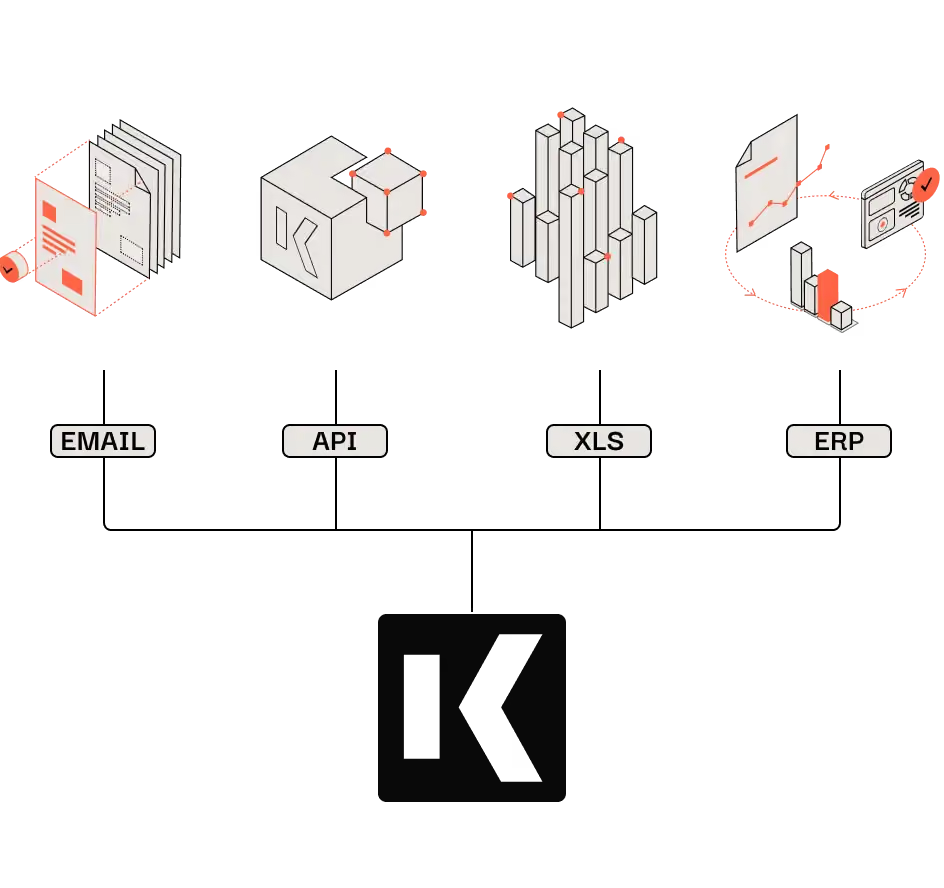
Koncile integrates perfectly into your digital ecosystem: connection via API, automatic import from your emails or direct synchronization with your ERP.

Easily import documents, trigger automated extractions, and retrieve structured data where you need it.

Whether you use Excel, Outlook, SAP or another business tool, Koncile adapts to your workflow to simplify document management and maximize your productivity gains.

Features

An OCR Solution Designed for Check Data Capture

Automatically extract key information from bank checks

Amount, check number, account holder, issuing bank, date and turn it into structured data.

From Bank Checks to a Structured Database

Simplify the management of payments and transactions by converting checks into usable, machine-readable data.

Multi-Format Processing

Easily process and standardize checks in various formats (images, PDFs, etc.).

Bank Check Parsing via API

Build a complete, searchable database integrated into your application and accessible via API to automate payment workflows.

Beyond OCR: Validation and verification of extracted fields

Is the check information accurate? Is the amount valid? Was the check issued by a verified bank? Are there duplicates or inconsistencies in your database? Streamline your check processing with smart, automated OCR.

Security

An AI OCR designed for security ‍

No training on your data. Fully encrypted software. Secure storage of extracted data. RGPD compliant.

Our security policy
  • SOC 2 badge (AICPA Service Organization Control)
  • GDPR Compliant badge

Frequently asked questions: Bank check OCR

Short answers, with numbers when we have them.

Talk to us
  1. OCR analyzes the bank check using computer vision algorithms to detect and read characters. Through natural language understanding (NLP), OCR can identify critical information. This process ensures accurate extraction of structured and unstructured data from the document.

  2. Yes, you can extract specific information from a bank check, such as the amount, payee name, date, or account number. OCR can be set up to extract this data based on the sections or formats you are dealing with.

  3. Yes, OCR is capable of processing printed or handwritten bank checks. If the document is handwritten, OCR uses advanced techniques to recognize handwritten characters and convert them into digital text, while ensuring the accuracy of the extracted data.

  4. You can upload your bank checks in PDF, PNG, or JPEG format. These formats are compatible with our OCR technology, allowing accurate extraction of the information contained in the document. Consult the documentation for more details on accepted formats and the upload process.

  5. The software is accessible via a powerful OCR API, with comprehensive documentation available. Plus, you can upload documents directly into the app and export the extracted data to XLSX, XLS, CSV, or JSON for seamless integration into your workflows.

  6. Check our API documentation, contact us at contact@koncile.ai. You can also create a demo account or book a demonstration with our team.

  7. Koncile offers 3 plans, including enterprise options for handling large volumes of data. You can check our pricing on our pricing page.

  8. In each extraction template, you will find:

    • General fields: These are pieces of information that appear only once in each document (e.g., the invoice number or the invoice date).
    • Repeated fields: These are pieces of information that appear multiple times in a document, such as item descriptions or prices in each line of a quote. Use repeated fields for extracting tables and charts from your documents.

Automate your document processing with Koncile

Upload your invoices, statements or purchase orders: Koncile extracts the data, checks it and sends it to your tools, by API or in Excel.

Talk to an expert