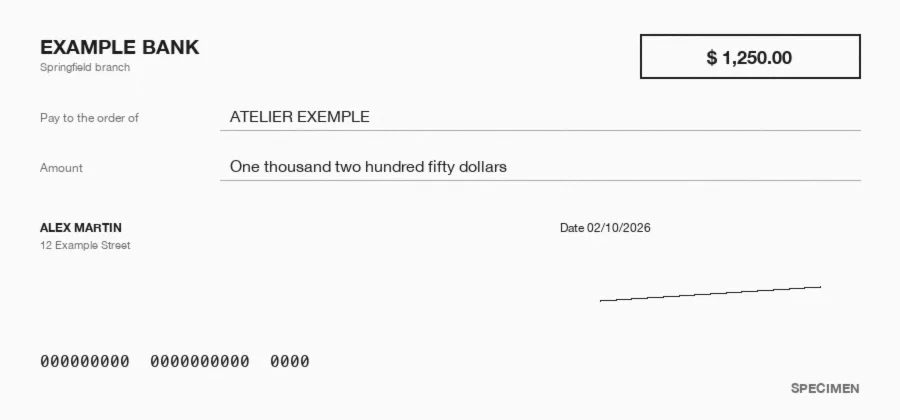













What is invoice OCR?
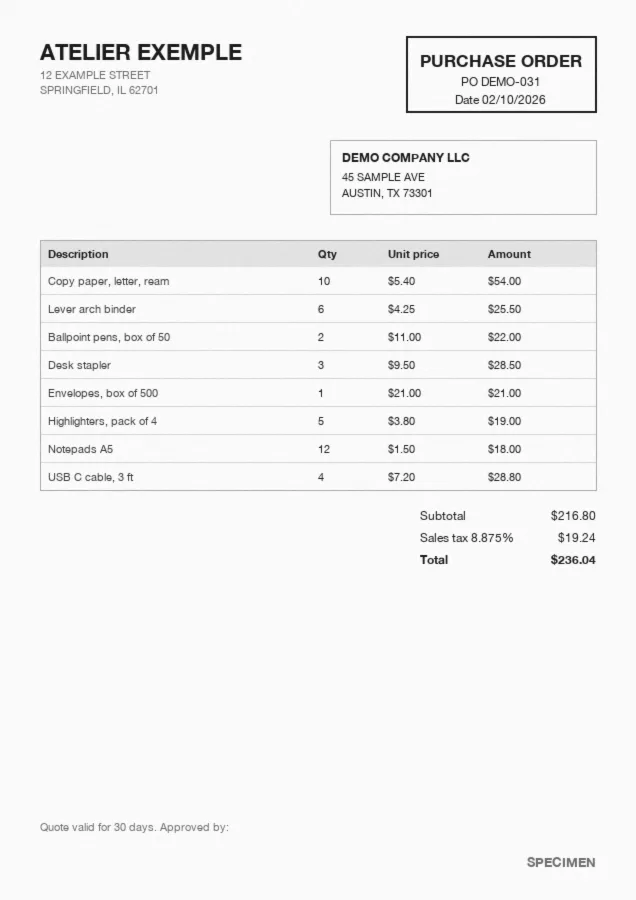
Invoice OCR reads a PDF, scanned or photographed invoice and turns it into structured data: vendor, invoice number, dates, subtotal, tax, total, bank details and every line item. Koncile uses AI to read any layout without templates, checks that totals and tax add up, and flags invoices that were edited after issue. Export to Excel, CSV or JSON, or send it to your stack by API.
Manual keying
Someone types the invoice into the system. Fine for a handful, slow and costly as soon as line items pile up.
Template OCR
The software reads characters, then looks for each field at a fixed position. Every new vendor means a new template.
AI without templates
The model reads the invoice the way an AP clerk would: it finds the total, the tax and the line items whatever the layout.
What data does invoice OCR extract?
Koncile's invoice template captures the header fields of every invoice, then the detail of each line item. You can edit, add or describe the fields to extract from the interface, such as a GL code or a cost center.
| Field | Example | Extraction rule |
|---|---|---|
| Invoice number | INV-20417 | Unique number set by the vendor. |
| Invoice date | 10/14/2026 | Date of issue, returned in your chosen format. |
| Due date | 11/13/2026 | Payment due date, or the payment terms if no date is printed. |
| Vendor name | Brightline Office Supply Inc. | Legal name of the company issuing the invoice. |
| Vendor address | 1200 Market St, Philadelphia, PA | Full address as printed on the invoice. |
| PO number | PO-55821 | Purchase order referenced on the invoice, used for matching. |
| Bill to | Acme Logistics LLC | Customer the invoice is addressed to. |
| Currency | USD | ISO code of the invoice currency. |
| Subtotal | $227.50 | Total before tax and shipping adjustments. |
| Sales tax | $20.19 | Tax amount, with the rate when it is printed. |
| Total | $247.69 | Amount due, checked against subtotal and tax. |
| ABA routing number | 123456789 | 9 digits, for US bank transfers. |
| Account number | ****4821 | Vendor bank account, compared with the one on file. |
| Line items | SKU, description, quantity, unit price, amount | One row per line, across every page. |
Line items, and the cases other tools get wrong
Each line comes out with its SKU, description, quantity, unit price, discount, tax and amount. That is where price gaps and duplicates hide.
Multi page invoices
Lines that run across pages are stitched into one table, with no repeated header and no line lost at the page break.
Credit notes
A credit memo is recognized as one: negative amounts, discounts and returns keep their sign, so matching stays exact.
Subtotals and groups
Subtotals by job or by delivery are not mistaken for line items, so the same amount is never counted twice.
Currencies and tax per line
USD, GBP or EUR, sales tax or VAT: each line keeps its own rate, and the tax breakdown is recomputed to check the total.
How does invoice OCR work?
- Step 1
Intake
Upload, a dedicated email address or the API: the invoice arrives as a PDF, a scan or a photo.
- Step 2
Reading
Text, tables and handwriting are read page by page, even on a skewed scan.
- Step 3
Structuring
Each value lands in its field: vendor, number, dates, amounts, line items.
- Step 4
Checks
Totals and tax recomputed, duplicates flagged, a confidence score on every field.
- Step 5
Export
Excel, CSV, JSON, webhook or API, into your accounting system or ERP.
How accurate is invoice OCR?
An accuracy rate means nothing until you say what it measures. Three levels coexist, and only the last one matters to an AP team.
Koncile gives every extracted field a confidence score: uncertain fields go to review, the rest flow through untouched. The best test is still your own invoices.
Character accuracy
The share of letters and digits read correctly. It easily tops 99% and says very little: one wrong digit is enough to break an amount.
Field accuracy
The share of correct fields, such as the total or the invoice number. This is the right level to compare two tools, field by field and line by line.
Document accuracy
The share of invoices with nothing to fix. At 97% fully correct invoices, 6 invoices out of 200 still need a manual touch.
Can ChatGPT read invoices? Templates, AI and LLMs compared
A general assistant can read one invoice you paste into it. It has no OCR engine of its own, returns a different format from one try to the next, and its error rate climbs with volume.
One invoice, in a chat
Good enough to read a clean PDF once. No field schema, no confidence score, no audit trail, and nothing to plug into your AP workflow.
Thousands of invoices, in production
A dedicated pipeline reads the file, structures the same fields every time, checks totals and tax, and routes uncertain fields to a person.
Invoice OCR for accounts payable: PO and price list matching
Extraction is only the first step. In AP, the value comes from what you check before you pay.
PO matching
Invoice lines are matched against the purchase order: quantities, unit prices and references that do not line up are flagged.
Price list checks
Each unit price is compared with the negotiated price list or contract, so overbilling is caught line by line.
Duplicate detection
The same invoice sent twice, under a new file name or a slightly changed number, is caught before it is paid twice.
Routing by confidence
Invoices with every field above your threshold go straight through; the others land in a review queue with the doubtful fields highlighted.
How to spot fake invoices and changed bank details
An OCR tool that only reads lets fake invoices through as easily as real ones. Koncile checks the document while it extracts it.
To check a single invoice, use our document fraud detection software for invoices.
Changed bank details
A fraudster impersonates a vendor and sends an identical invoice with new bank details. The extracted account is compared with the one on file.
Edited PDF
An amount or a date changed after issue leaves traces in the file: producer software, revisions, fonts. They are read and explained.
Duplicate invoices
Resubmitted invoices and near duplicates are flagged before payment, across vendors and file names.
Inconsistent vendor
Company details that do not match, an address that does not fit: these inconsistencies show up in the verdict, with a fraud score from 0 to 100.
Export and integrations
Most accounting tools ship a basic OCR for invoice headers. A dedicated tool pays off when you need line items, unusual layouts, volume or checks before payment.
Developers can start from our OCR API documentation.
Exports
Excel, CSV and JSON, with configurable output formats: column names, order, date and amount formats.
API and webhook
Send invoices through the API, get the result by webhook as soon as extraction is done, then push it to your ERP, SAP included.
No code
Make, n8n, Zapier and Power Automate connect in minutes. QuickBooks, Xero and NetSuite work through Zapier or Make.
Email intake
A dedicated email address receives your vendors' invoices and extracts the attachments automatically.
Invoice OCR pricing
Koncile is priced per page analyzed. The free plan gives you 20 credits to test on your own invoices. The Advanced plan is €199 per month excl. tax, about €0.20 per page, with API, SDK and MCP access. Above that, the Enterprise plan brings a lower price per page as volume grows.
To compare, weigh that price against the time it takes to key a 20 line invoice, and the cost of one wrong payment. Prices in USD and EUR are on our pricing page.
Free and open source invoice OCR
Free tools return text. An invoice needs fields, line items and checks: that is where they stop.
Our guide to the best open source OCR tools covers what each one can do.
Tesseract
The reference open source engine. It reads the text in an image but has no idea what a total or a line item is: you build everything around it.
PaddleOCR
Strong on layouts and tables, with models you host yourself. Turning its output into invoice fields is still your code to write.
docTR
A clean Python library for text detection and recognition. Great for prototypes, with no invoice schema and no checks.
Teams processing invoices with Koncile
Energy brokers, collective catering, loyalty programs: our customers process very different invoices with the same tool. Each one plugged Koncile into its own flow, by API or by upload, to extract every line item and check it without retyping.

An energy broker that checks 5,000 gas and electricity bills a month, sorted by client rather than by supplier.
Read the case study
Supplier invoices, unit price schedules and product catalogs read across more than 650 collective kitchens.
Read the case study
Receipts and invoices checked as proofs of purchase in loyalty and incentive programs.
Read the case study
An AI OCR built for security
Your invoices are never used to train a model. Fully encrypted software, secure storage of extracted data, a SOC 2 certified and GDPR compliant platform.
Invoice OCR: frequently asked questions
What is invoice OCR?
Software that reads a PDF, scanned or photographed invoice and extracts the useful data: vendor, invoice number, dates, subtotal, tax, total, bank details and line items. Modern tools use AI to read any layout without templates, then export Excel, CSV or JSON.
What is the best OCR software for invoice processing?
It depends on your volume and what you check. The OCR built into your accounting tool is often enough for a few simple invoices. A dedicated tool like Koncile pays off when you need line items, varied layouts, volume, or fraud and price checks before payment. Our top 10 invoice OCR tools compares the options.
How accurate is invoice OCR?
It depends on what is measured and on document quality. Compare tools on field accuracy and on the share of invoices with nothing to fix, not on character accuracy. Koncile scores every field, and a test on your own invoices remains the most reliable benchmark.
Can invoice OCR read handwritten or low quality scans?
Mostly, yes. AI reads skewed scans, phone photos and handwritten notes such as a corrected quantity or an approval. Scans under 300 dpi and stamps over an amount remain the main sources of error, and uncertain fields are flagged.
Can ChatGPT perform OCR on invoices?
It can read a single clean invoice in a chat. It has no dedicated OCR engine, no fixed schema and no confidence score, and its error rate grows with volume. For production AP workflows, a dedicated pipeline with checks is more reliable.
Does invoice OCR integrate with QuickBooks or Xero?
Yes, through Zapier or Make, which connect Koncile to QuickBooks, Xero, NetSuite and most accounting tools. You can also use the API and webhooks, or export Excel and CSV files.
Is OCR still needed with e-invoicing?
Yes. E-invoicing mandates roll out country by country and over several years, and they leave out foreign vendors, receipts, expense reports and archives. Extraction also helps check that new mandatory fields are present before posting.