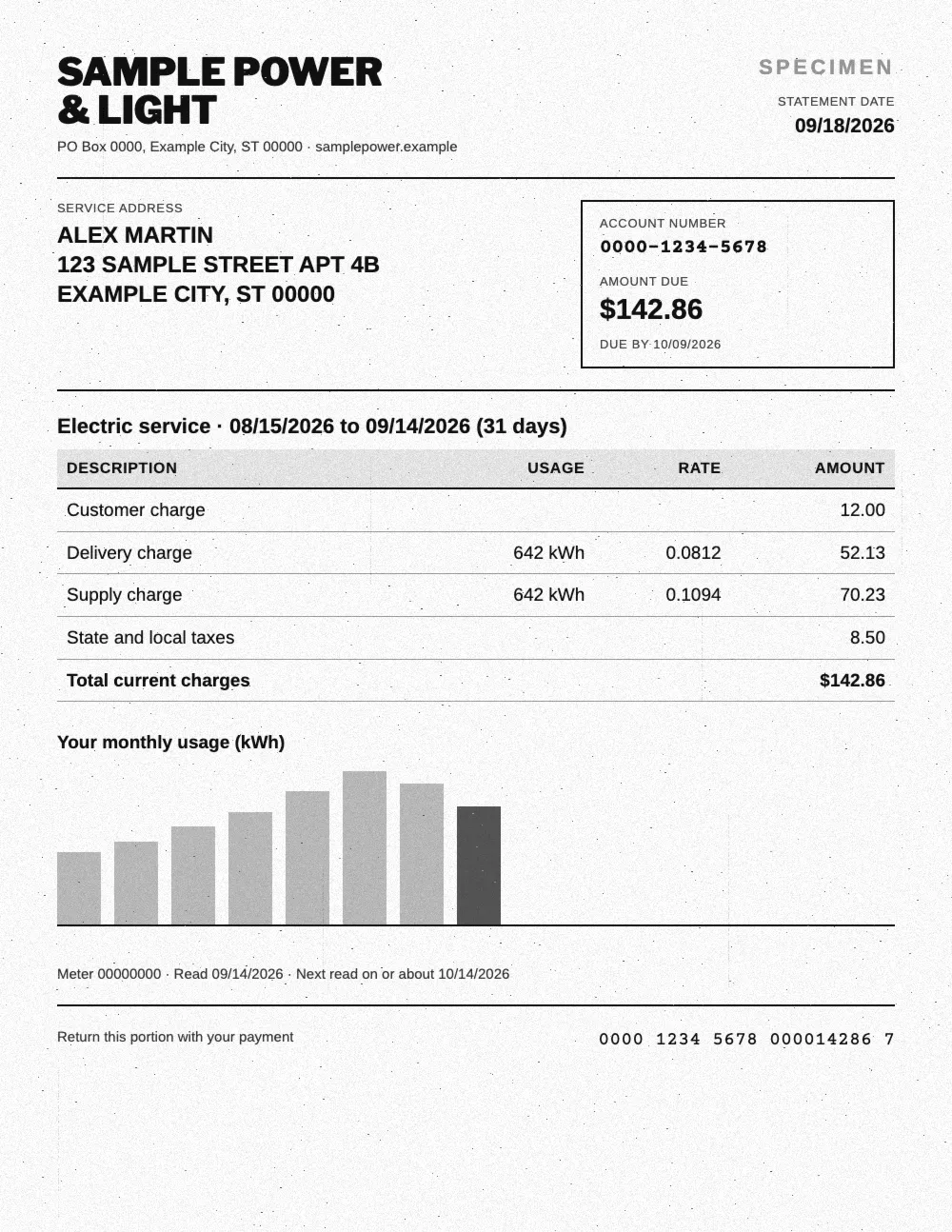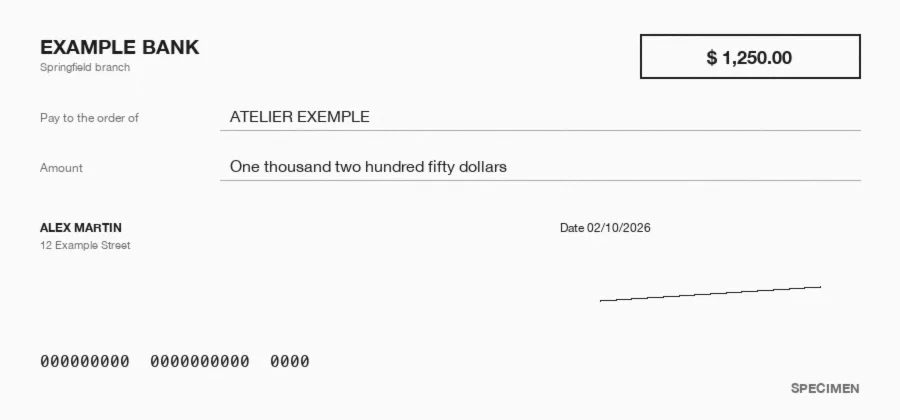














What is bank statement OCR?
Bank statement OCR reads a PDF, scanned or photographed bank statement and turns it into a spreadsheet: bank, account holder, statement period, beginning and ending balance, then one row per transaction with its date, description, withdrawal or deposit. Koncile reads any bank's layout without templates, checks that the running balance adds up and exports to Excel, CSV or JSON.
There are three ways to do it. They give the same result on a clean one page statement, and very different results on a six page statement or a scan.
Copy paste or Power Query
Excel returns one table per page, with columns to realign by hand. Enough for a one off digital PDF, not for a scanned statement.
Free online converter
The statement text lands in cells, without telling withdrawals from deposits. Handy for a few statements with no sensitive data.
AI OCR
One row per transaction, withdrawals and deposits split, balances checked. Built for statements from many banks, in volume or scanned.
What data can you extract from a bank statement?
Koncile's bank statement template captures the summary fields once per statement, then one row per transaction across every page, even when a description wraps onto a second line.
Credit card statements work the same way: each purchase becomes a row, and the new balance on the statement serves as a check. You add, remove or describe the fields to extract from the interface.
| Field | Example | Extraction rule |
|---|---|---|
| Bank name | Example Bank | Name of the bank holding the account. |
| Account holder | Martin Design LLC | Person or company named on the statement. |
| Account number | ****4821 | As printed, often masked on the statement. |
| Routing number | 123456789 | 9 digit ABA number, when printed. |
| Statement period | 09/01 to 09/30/2026 | Start and end dates of the statement. |
| Beginning balance | $4,210.35 | Balance at the start of the period. |
| Ending balance | $3,987.10 | Balance at the end, checked against the transactions. |
| Date | 09/05/2026 | Posting date shown on the row. |
| Description | CHECK 1042 | Full description, wrapped lines joined. |
| Check number | 1042 | Check number, when the row is a check. |
| Withdrawals | $86.40 | Money out, empty otherwise. |
| Deposits | $1,200.00 | Money in, empty otherwise. |
| Running balance | $5,323.95 | Daily balance, when the bank prints it. |
| Category | Office expenses | From your own list of categories. |
How to convert a PDF bank statement to Excel or CSV, step by step
Conversion takes a few seconds per statement. What matters is what happens between reading and export: that is where transactions are put back into rows and balances are recomputed.
- Step 1
Upload
Drop the PDF, scan or photo, forward it to a dedicated email address, or send it through the API.
- Step 2
Reading
AI reads each bank's layout, with no template to set up.
- Step 3
Structuring
One row per transaction, withdrawals and deposits split, wrapped descriptions joined.
- Step 4
Balance check
The ending balance is recomputed from the beginning balance and every transaction.
- Step 5
Export
Excel, CSV or JSON, or straight into your tools.
Multi-page, scanned and credit card statements
A one page digital PDF goes through any converter. Real files are harder: a six page statement, a crooked scan, a credit card statement that covers a whole month of purchases. These are the cases where OCR saves time.
Balance carried forward
Balance forward rows between pages are recognized as running balances. They never become transactions and never skew the totals of the statement.
Descriptions on two lines
A wire with its reference on a second line stays one transaction. The description is joined in full, with no empty row and no stray amount.
Scans and phone photos
Printed and scanned statements are read, even slightly skewed. Hard to read values come out with a low confidence score and go to review.
Credit card statements
Each purchase in the cycle becomes a row, with its date and merchant. The rows are checked against the new balance printed on the statement.
How do you know every transaction was captured?
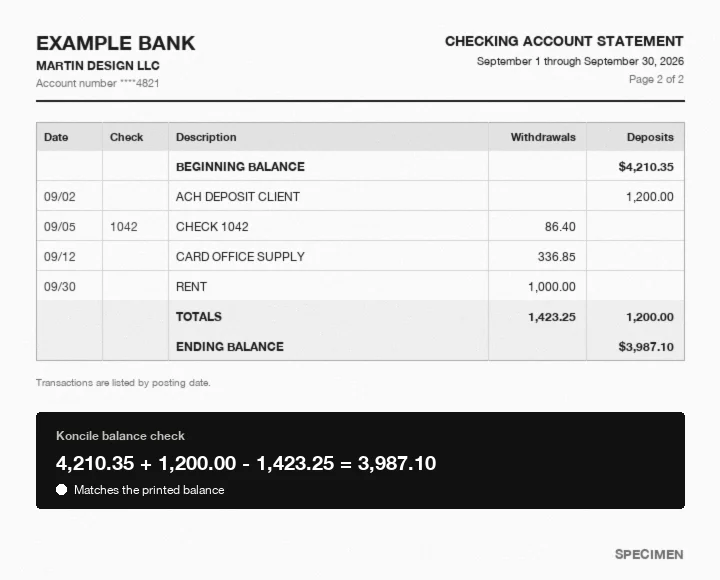
On a bank statement, accuracy can be checked with arithmetic. The beginning balance, plus deposits, minus withdrawals, must equal the ending balance. Koncile runs that check on every statement, and on every page that prints a balance carried forward. A one cent gap points to a missed or misread transaction, and the statement goes to review before it reaches your books.
Every field also carries a confidence score. You set the threshold below which a person reviews the value. On our test set of [N] statements from [N] banks, [x]% pass the balance check with no correction ([test date]).
Bank statements for lending: income, cash flow and red flags
Lenders, landlords and underwriters ask for several months of statements. Koncile does not score credit: it turns each statement into clean rows your team can filter and total, then checks that the file is genuine.
Recurring deposits
Every deposit comes out as a row with its date and description, so payroll or client payments are easy to filter and total month by month.
Balances over time
Beginning and ending balances for each period, and the daily balance when the bank prints it, show how close the account runs to zero.
Returned items and fees
Returned payments, overdraft and NSF fees keep their own description, so they can be filtered and counted across several months.
Large transfers
Large or one off movements stand out once every transaction sits in a single table, ready for an underwriter to ask about them.
How to spot a tampered bank statement
When a statement is used to prove income or a balance, extraction is not enough: you also need to know whether the file is genuine. Koncile checks the file, the content and the image, and returns a fraud score from 0 to 100.
To check a single statement, use our fake bank statement checker.
Balances that don't add up
A removed transaction or a changed amount breaks the running balance. The gap shows between the printed balance and the one Koncile recomputes.
File saved again after issue
The software that produced the PDF and its successive saves are read. A file reopened after the bank issued it keeps a trace of it.
Font or alignment
A pasted digit does not share the font, size or alignment of its neighbors. Image analysis catches it, even on a scanned statement.
Export and integrations
Accounting tools already import transactions through bank feeds. OCR takes over when there is no feed: statements sent by a client, a bank the feed does not cover, historical data. Extracted transactions can then be matched with your invoices and ledger entries by Koncile's reconciliation agent.
Developers can start from our OCR API documentation.
Exports
Excel, CSV and JSON, with the columns in the order you choose and the date and amount formats your software expects.
API and webhook
Send statements through the API and get the result by webhook as soon as extraction is done, ready to push to your ERP.
No code
Make, n8n and Zapier connect Koncile to your tools in minutes. QuickBooks and Xero work through Zapier or Make.
Email intake
A dedicated email address receives statements from your clients or banks and extracts the attachments automatically.
Bank statement OCR pricing
Koncile is priced per page analyzed: one page uses one credit, so a six page statement uses six. The free plan gives you 20 credits to test on your own statements. Paid plans start at [price] per month for [N] credits, and the price per page drops as volume grows.
Prices in USD and EUR are on our pricing page.
Free bank statement converters: what they do and what they miss
Start with the answer most pages skip: if your bank offers a CSV or OFX download in online banking, that is the best free option for your own accounts. For a digital PDF you received, Excel can do it: Data, Get Data, From PDF. Free online converters do the same without installing anything.
The limits come with scans, long statements and privacy: a statement holds a name, an address, an account number and a month of spending. Before uploading it to a free site, check where it is processed and how long it is kept.
| Option | What it does well | What it misses |
|---|---|---|
| Bank download (CSV, OFX) | Free, exact, straight from the bank | Only for accounts you can log into |
| Excel Power Query | Free, local, fast on a digital PDF | Scans, columns to realign, no checks |
| Adobe Acrobat online | Clean conversion of simple tables | One sheet per page, split descriptions |
| Free online converters | No install, often no account | Unclear data handling, no balance check |
| Koncile | Scans, multi page statements, balances checked, API | Account required, 20 free credits |

An AI OCR built for security
Your documents are never used to train a model. Fully encrypted software, secure storage of extracted data, a SOC 2 certified and GDPR compliant platform.

Bank statement OCR: frequently asked questions
What is bank statement OCR?
Software that reads a PDF, scanned or photographed bank statement and returns the balances and every transaction as a table, ready for Excel or your accounting software.
How do I convert a PDF bank statement to Excel or CSV?
Upload the statement, review the extracted transactions, then download the Excel or CSV file. Each transaction becomes one row, with withdrawals and deposits in separate columns.
Is there a free bank statement converter?
Yes. Your bank's own CSV or OFX download is the best free option for your accounts, and Excel can import a digital PDF. Koncile gives you 20 free credits to test scans and multi page statements, with balances checked.
Does it work with any bank?
Yes. AI reads each statement's layout with no template to set up per bank, for US banks as well as European and other foreign banks.
Can it read scanned or photographed statements?
Yes. A 300 dpi scan or a sharp photo gives the best results. Hard to read values come out with a low confidence score.
How do I know every transaction was extracted?
Koncile recomputes the ending balance from the beginning balance and every transaction. Any gap points to a missed row, and the statement goes to review.
Can AI detect fake bank statements?
Koncile's fraud detection checks the file, the balances and the image of the statement, and returns a fraud score from 0 to 100.
Are my bank statements stored after processing?
Your statements are never used to train a model. Extracted data is stored encrypted and secure, on a SOC 2 certified and GDPR compliant platform. Our security policy details hosting and retention.