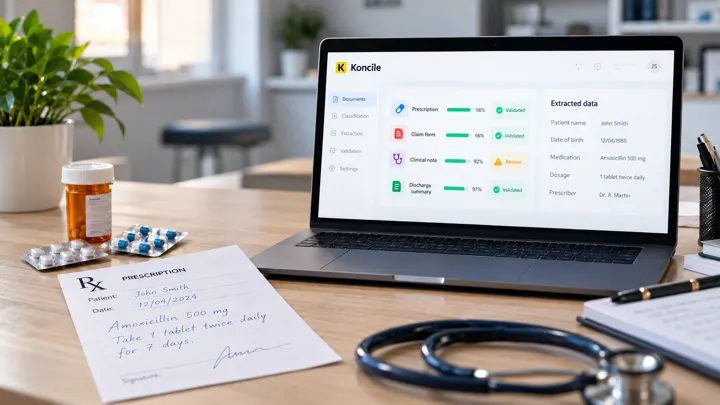
In this article, we are going to compare several OCR solutions based on artificial intelligence. We'll start with an overview of Klippa DocHorizon and then go over its main alternatives including Veryfi, Tesseract, Kofax OmniPage, and Koncile. These tools make it possible to automatically extract data from images or documents and convert them into structured formats that can be used by computer systems.
Klippa DocHorizon is an Intelligent Document Processing (IDP) solution that combines OCR and artificial intelligence. It makes it possible to scan, extract, anonymize, anonymize, classify and verify data from documents. Available on the cloud (or on site), it is aimed at various sectors such as accounting, finance, legal or even logistics.
You can submit documents via email, web, or mobile app. It would save up to 90% in processing time and up to 60% in budget.
Identity documents (passports, ID cards, driving licenses)
Legal documents (contracts, articles of association, business registration)
HR documents (CVs, pay slips)
Medical documents
Logistics documents (CMR, delivery notes, bills of lading)
💵 Pricing: Monthly subscription adjusted according to volume. The higher the volume, the lower the unit price.
2. Veryfi
Veryfi is an OCR solution specialized in the transformation of unstructured documents (receipts, invoices, purchase orders) into structured data. Its main objective is to drastically reduce manual entry while limiting human errors.
For companies needing flexible data capture across formats, using a robust OCR can make a major operational difference.
The tool offers a powerful API that works in real time, with support for non-Latin alphabets and integrated document storage. It is particularly used in the fields of commerce, logistics or mass distribution.
The interface is simple, modern and easy to integrate.
Main features:
✅ Advantages of Veryfi
Modern user interface (UI)
Field and line-item capture
Supports non-Latin alphabets
Document storage available
⚠️ Disadvantages
No cross-checking with third-party databases
No standard SLA
No on-premise deployment
No extraction of signatures or images
No data masking
🏢 Industries Served
Logistics and transportation
Retail
Marketing and loyalty
FMCG (Fast-Moving Consumer Goods)
📄 Supported Document Types
Invoices
Receipts
Purchase orders
💵 Pricing: Startup license starting at $500/month, with a free trial. Customized pricing for businesses.
3. Tesseract
Tesseract is an open source OCR engine originally developed by Hewlett-Packard, now maintained by the community and supported by Google. It is a free and robust solution, ideal for technical projects that require an OCR engine to be integrated into a custom pipeline.
Tesseract is effective for reading printed text (including non-Latin alphabets) but does not offer any interface or turnkey services. It requires manual configuration and a suitable execution environment.
It is used in productivity projects, office applications, or embedded systems.
✅ Advantages of Tesseract
Free and open-source alternative
Supports non-Latin alphabets
Image preprocessing available
⚠️ Disadvantages
Requires significant custom development
Must be self-hosted and maintained
No cross-checking with third-party databases
No standard SLA
No signature or image extraction
No data masking
🏢 Industries Served
Office and productivity
📄 Supported Document Types
Invoices
Purchase orders
Receipts
Tax forms
Mortgage forms
💵 Pricing: Free , under an open source license. Requires internal development resources
4. Kofax OmniPage
Kofax OmniPage is a commercial OCR solution designed for large-scale automation of document conversion, especially complex PDFs. It is recognized for its ability to manage large volumes and to extract tables and rows of items.
The solution works with over 120 languages, can be connected to a wide variety of scanners (mobile, desktop, multi-function) and allows access to documents on any device.
It is used in the banking, marketing or consumer goods sectors.
✅ Advantages of Kofax OmniPage
Recognition of over 120 languages
Compatible with mobile, desktop, and multifunction scanners
Access, search, and edit documents across all devices
Field and line-item capture
Integrated document storage
⚠️ Disadvantages
User interface could be improved
No cross-checking with external databases
No European infrastructure
No on-premise deployment
No signature or image extraction
No data masking
🏢 Industries Served
Banking and finance
Marketing and loyalty
Consumer goods
📄 Supported Document Types
Invoices
Receipts
Purchase orders
💵 Pricing: Single license at $499 (Ultimate version) with free trial.
5. Koncile
Koncile is an intelligent OCR software specialized in extracting accurate data from complex documents such as contracts, pay slips, status reports, or transport documents.
It also supports high-precision extraction from logistics paperwork, making it ideal for businesses seeking logistics document OCR solutions.
The tool allows line-by-line analysis, the management of various layouts and the targeted extraction of specific fields (dates, amounts, references, etc.). Thanks to its AI engine and its integrable API, Koncile adapts to all types of scanned documents, PDFs or images, even of low quality.
It is particularly popular in the real estate, transport, finance and legal sectors.
✅ Advantages of Koncile.ai
Smart OCR API for PDFs, images, and complex documents
Line-by-line recognition, even within unstructured tables
Very high accuracy, even with poorly scanned documents
Responsive support and dedicated technical guidance
GDPR-compliant , no data is stored
⚠️ Disadvantages
Initial setup required to match targeted document types
🏢 Industries Served
Real estate (sales agreements, status reports, off-plan reservations)
Transport (freight invoices, CMRs, delivery notes)
Finance (payslips, bank statements, proof of income)
Healthcare, insurance, legal services
📄 Supported Document Types
Invoices (multi-format)
Payslips, ID cards, passports
Contracts, sales agreements, certificates
Logistics documents (CMR, bills of lading, delivery reports)
💵 Pricing: Billing on a per use basis or by subscription depending on the volume. Attractive discounted rates available. Direct API contact and personalized support included.
🎯 Do you want to test for yourself?
Discover the precision and flexibility of Koncile OCR on your own documents.